Where Winds Meet XBOX Launch FAQ
Q: How do I download the game on my XBOX?
A: Ensure your XBOX is connected to the internet, open the Microsoft Store, search for "Where Winds Meet," and select the appropriate version to download.
Q: Is there cross-progression between XBOX and other platforms?
A: Yes! Character data is fully shared across XBOX, PC, PlayStation, and mobile. By logging in with the same bound account, you will share your characters, items, martial arts, top-ups, and game progress. Additionally, XBOX players can seamlessly play online with players on other platforms.
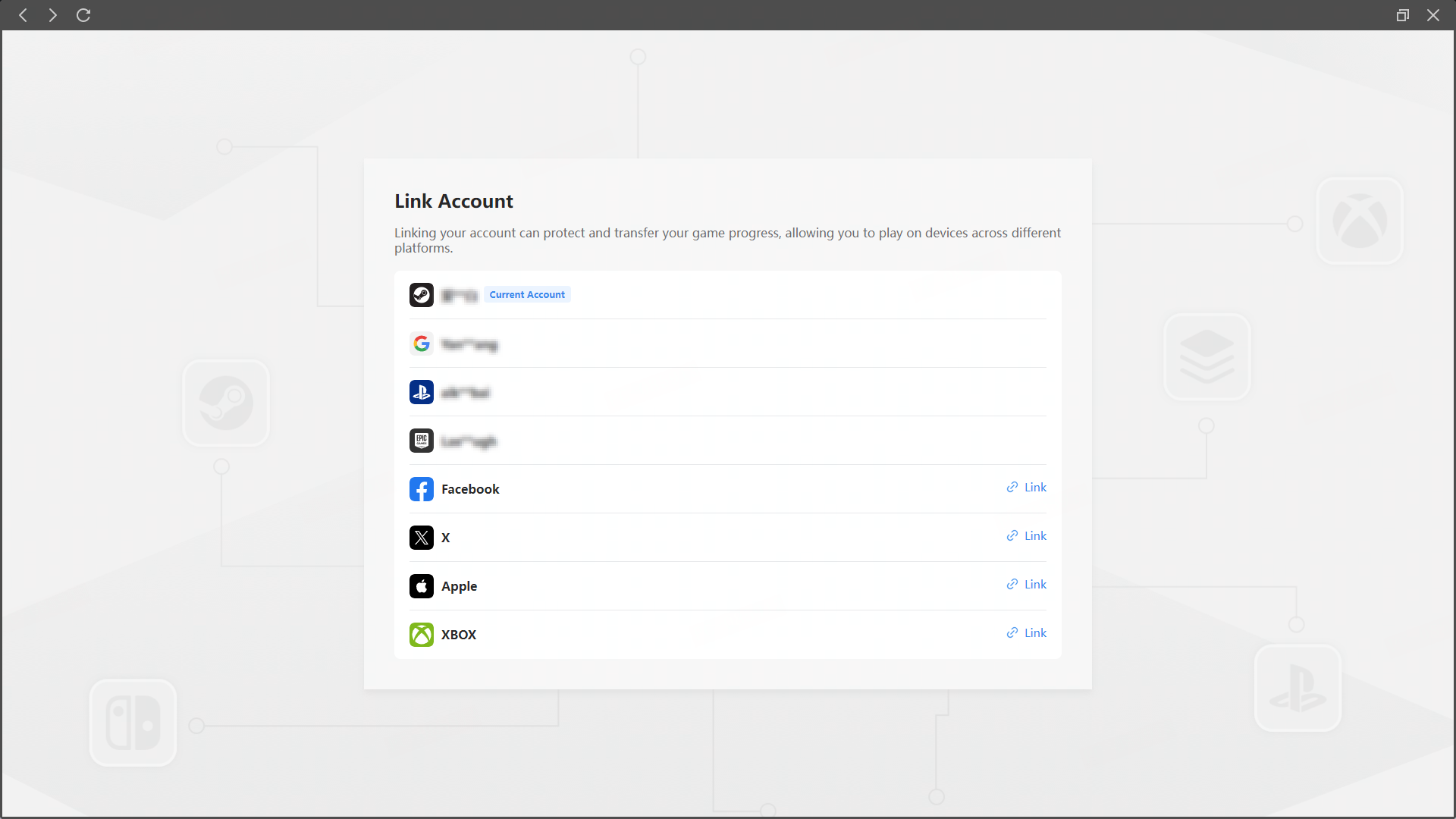
First-Time XBOX Login: Log in using the same bound account you use on mobile or PC to directly carry over your existing save data.
Account Binding: If you create a character on your XBOX account first, you will not be able to bind it to an existing account from another platform. You need to bind your existing account to your XBOX account first.
Premium Currency Rules: Premium currency is tied to your account and shared across all platforms. Currency purchased on any platform can be used freely across all your devices.
Server Regions: Cross-play and cross-progression only apply within the same server region. Character data cannot be transferred across different server regions.
Q: What is the game's file size, and how much storage space do I need?
A: The current file sizes for the different versions are as follows:
XBOX Series X (XSX): 169.2 GB
XBOX Series S (XSS): 125.5 GB
XBOX on PC: 156.6 GB
To ensure smooth downloading and to leave room for future patches, we recommend keeping 150 GB to 200 GB of free storage space available, depending on your device. This will help prevent downloading failures or update errors caused by insufficient space. Note: Download speeds may fluctuate depending on your network environment, peak download times, or platform service conditions. This is completely normal, and we appreciate your patience.
Q: What should I do if the game is unresponsive when I try to launch it?
A: Please try the following troubleshooting steps in order: 1) Restart your XBOX and try launching the game again; 2) Check your XBOX's system update version and ensure you have enough available storage space; 3) Delete the game and redownload it. If the issue persists, please submit a ticket through our official feedback and support channels.